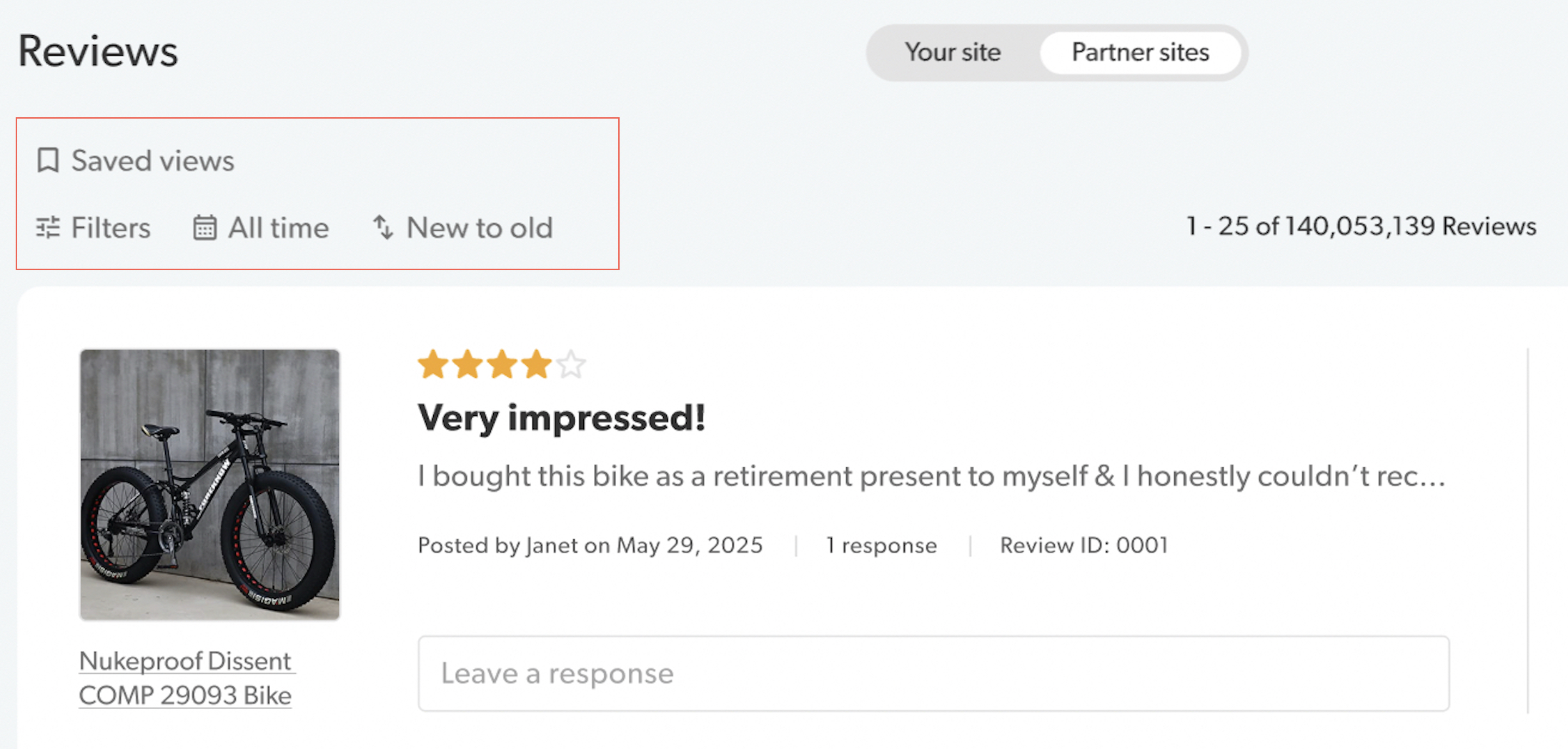
Welcome to the all-new Manage Content experience!
The redesigned interface reduces visual noise, eliminates friction, and brings a consistent architecture to both Ratings & Reviews and Questions & Answers.
Key improvements at a glance
An intuitive design that will streamline your workflow and accelerate brand-to-shopper engagement:
- Unified workflow: A single, shared workspace to jump between Ratings & Reviews and Questions & Answers instantly.
- Cleaner workspace: Reduced visual clutter and vertical height so you can focus entirely on high-priority actions.
- Actionable data: Contributor profiles and response counts are now visible directly in your main list view.
- Efficiency: Introducing features like inline responding, new modals, and quick-copy shortcuts for IDs and categories.
What’s new!
[+] Expand sections to view screenshots
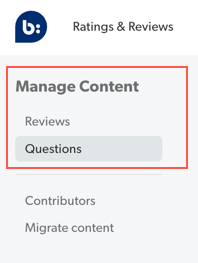
Instant app switching
A new side-navigation to jump easily between Ratings & Reviews and Questions & Answers apps.
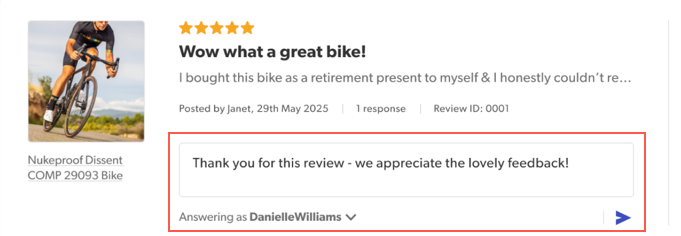
Quick replies
Response directly from the list view. No need to click into details view.
Contributor details at a glance
Contributor details, submission dates, and response counts are now visible right on the main list view. No drilling down.

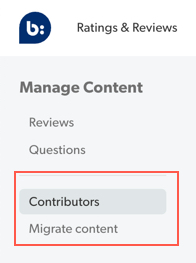
Always-on Admin tools
Manage Contributors and Migrate Reviews tools are now permanently visible in the new side navigation bar. No more digging through the ellipses menu (...).
Quick moderation actions
A new dropdown menu next to the status badge lets you approve or reject reviews in a single click. Ideal for high-volume moderation, such as quickly clearing out obvious spam or fake content.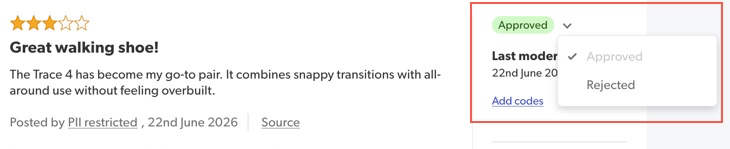
Full moderation history
The new History tab shows a clear audit trail of who moderated the content, when it happened, and which moderation codes were applied or removed.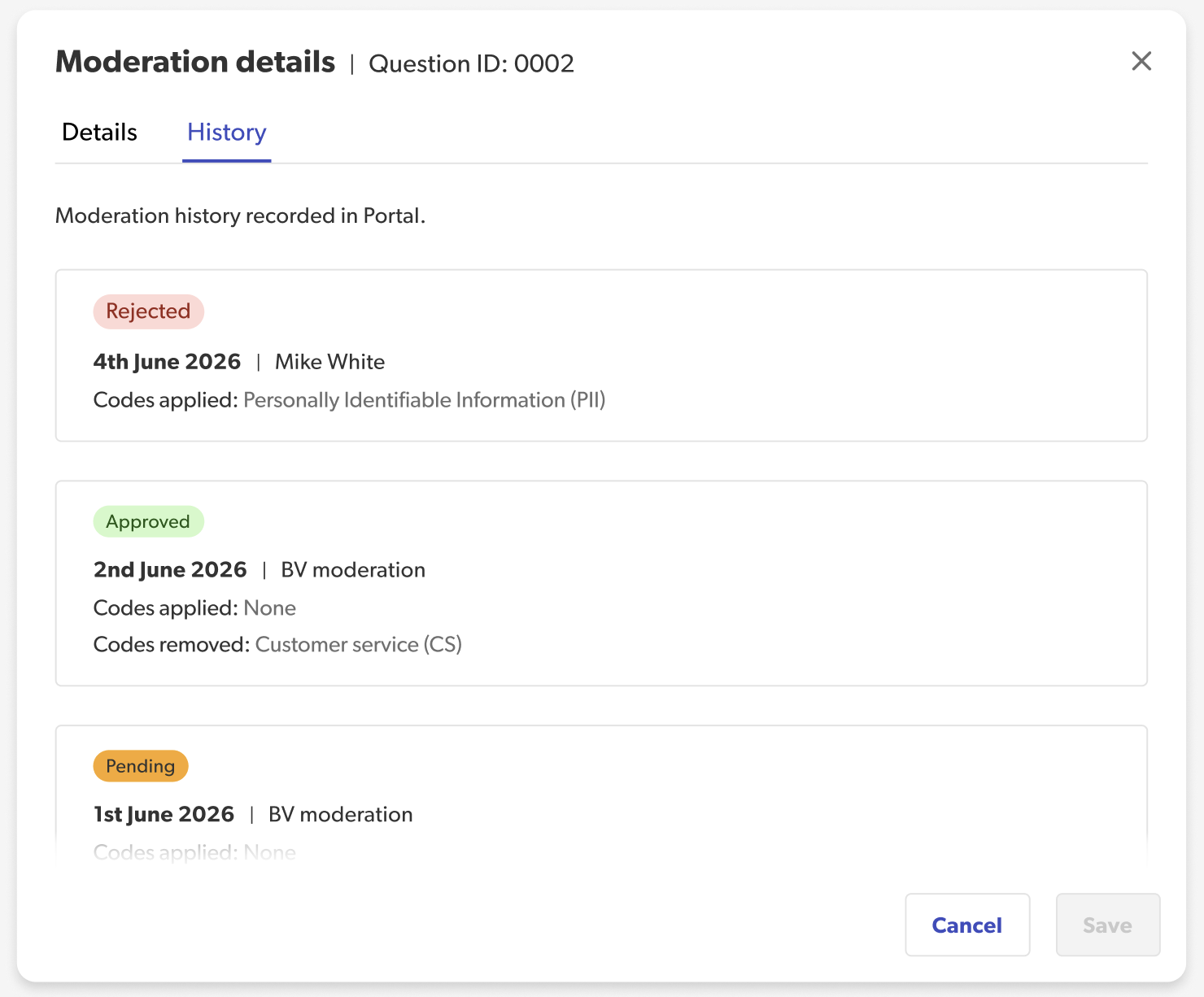
Feature a review
Use the upper-right ellipsis menu (...) to instantly highlight key reviews or remove featured ones.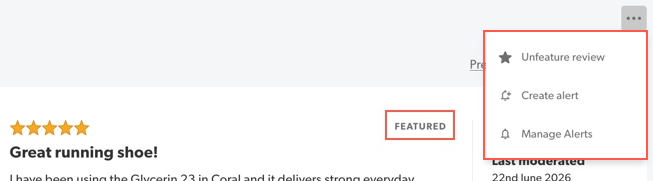
Secondary ratings
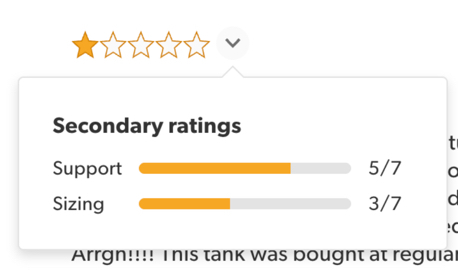
Detailed product rating breakdowns (like Support or Sizing) are now visible right next to the main star rating in a quick hover popover.
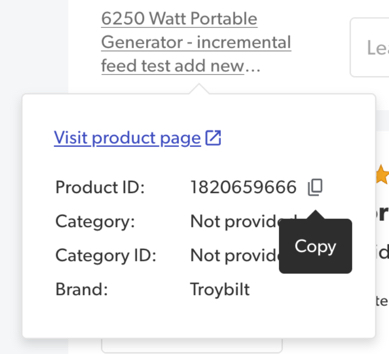
One-click copy feature
Quickly copy details (like the Product, Review, or Contributor IDs) using the new Copy-to-clipboard icon. No more manual highlighting and pasting needed.
Filters, Simplified
A single Filters control replaces the old category list for a cleaner view.
The All Time filter and Saved Views are now dedicated controls for faster access and clearer visibility.