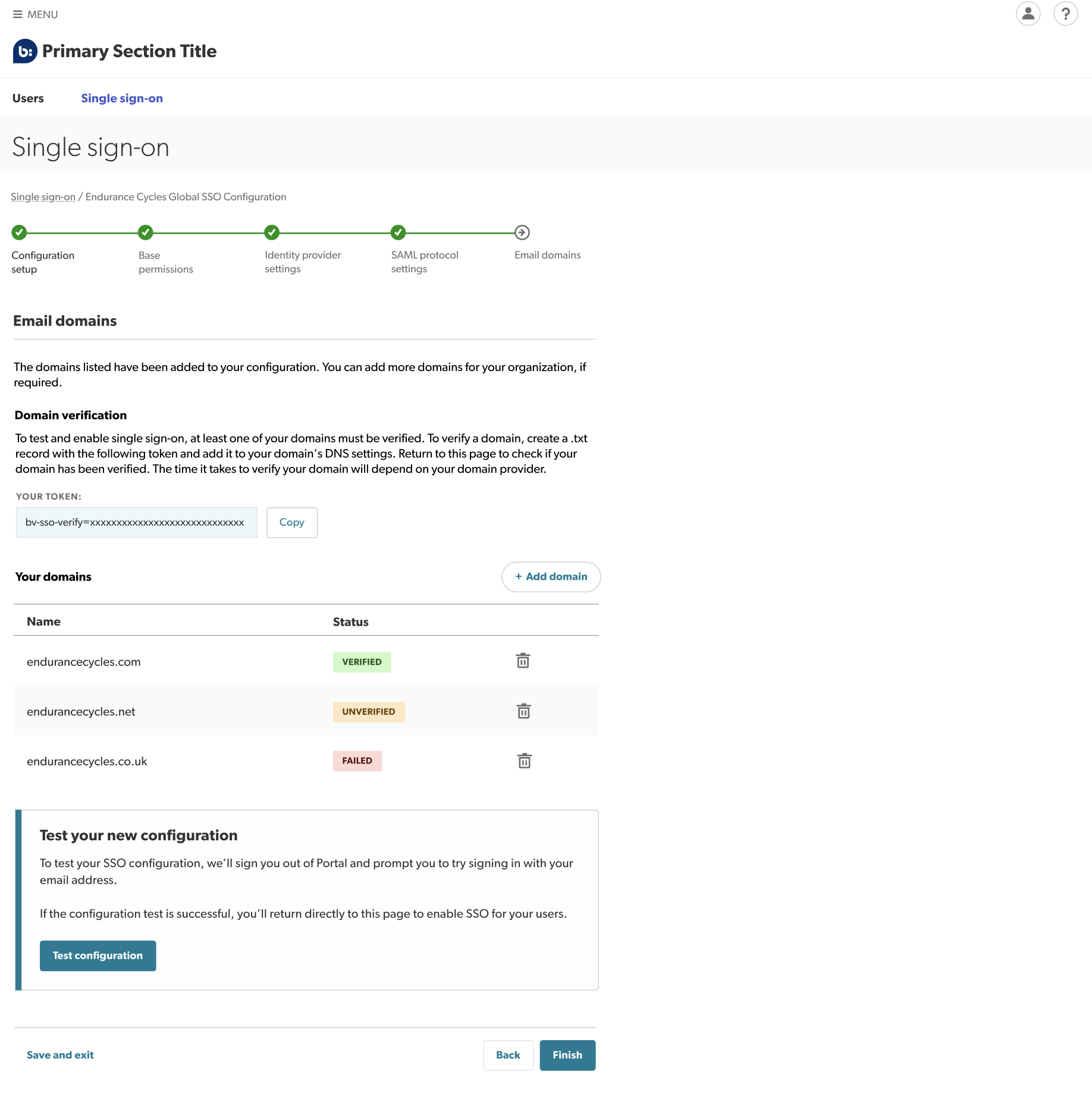
You can now add and verify your email domains, for example, endurancecycles.com. This verification process provides extra security by ensuring that only users with your verified domain(s) can use your SSO configuration.
- Add your domains by selecting Add domain.
- Verify your domains.
- To test or enable your configuration, at least one of your domains must be verified.
-
A verification token will be automatically populated, allowing you to create a .txt record
 following the domain list table.
-
Copy this token and add it to your domain’s DNS settings.
Note: Depending on your domain provider, it could take hours or several days to verify your domain. Refresh or return to this page later to check if your domain has been verified. - Test your configuration.
- Once you have at least one verified domain, you are ready to test and enable your configuration.
- Select Test configuration. You will then be signed out of the Bazaarvoice portal and redirected to the sign-in page.
-
Sign in to the Bazaarvoice portal using your corporate email address.
Note: If testing is successful, you will return directly to the setup wizard. If there is a problem, you can sign in using your username and password as normal.Note: If your session times out after successful testing, you cannot sign back in until you have enabled the configuration. This is because the testing process sets up your account for SSO sign-in, but SSO is still not enabled for your organization.Workaround: To revert to password-based sign-in and regain access, use the Trouble signing in? link to reset your password.
-
Enable your configuration. To enable your configuration for everyone in your organization, select Finish.
 Caution: Once your configuration is enabled, you no longer have access to the test functionality.