What is Authentic Discovery™ for Shopify?
Authentic Discovery™ is a Bazaarvoice API-driven framework engineered for Generative Engine Optimization (GEO). It ensures AI crawlers can access your user-generated content (UGC) so it appears on the AI platforms that your customers use for shopping.
Shopify's platform prevents a standard storefront from integrating directly with the Authentic Discovery API. To solve this, the Bazaarvoice Reviews & Photos app has Authentic Discovery built in. After you enable it, the app automatically generates your Authentic Discovery API key. To learn more about Authentic Discovery, refer to the Authentic Discovery API article.
How it works
- Traditional reviews load using client-side dynamic JavaScript, leaving them invisible to AI crawlers.
- The Bazaarvoice Reviews & Photos app calls the Authentic Discovery API to retrieve genuine review data as Schema.org-compliant JSON-LD and stores it in Shopify metafields.
- The structured JSON-LD code is embedded directly into the HTML source code server-side before reaching the AI crawler, meaning your UGC is visible to AI platforms.
Before you begin
Authentic Discovery must be included in your package before you can enable this feature in your Shopify store. If it’s not, the Enable Authentic Discovery option is unavailable. Contact your Bazaarvoice representative for more information.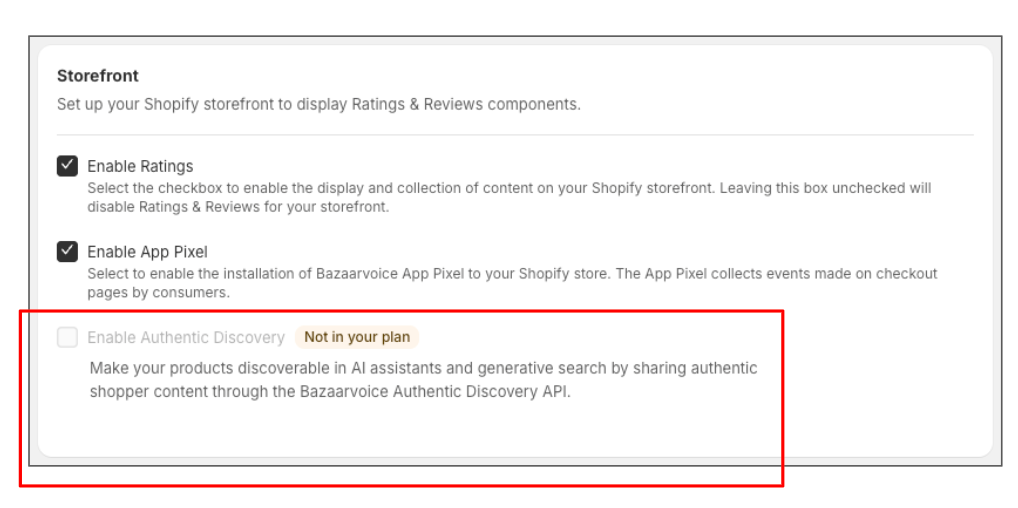
Enable Authentic Discovery
After Authentic Discovery has been added to your package, complete the following to enable it.
Populate metafields
- Go to the Bazaarvoice Reviews & Photos app in Shopify.
- Go to Ratings & Reviews > Configure > Storefront.
- Select Enable Authentic Discovery.
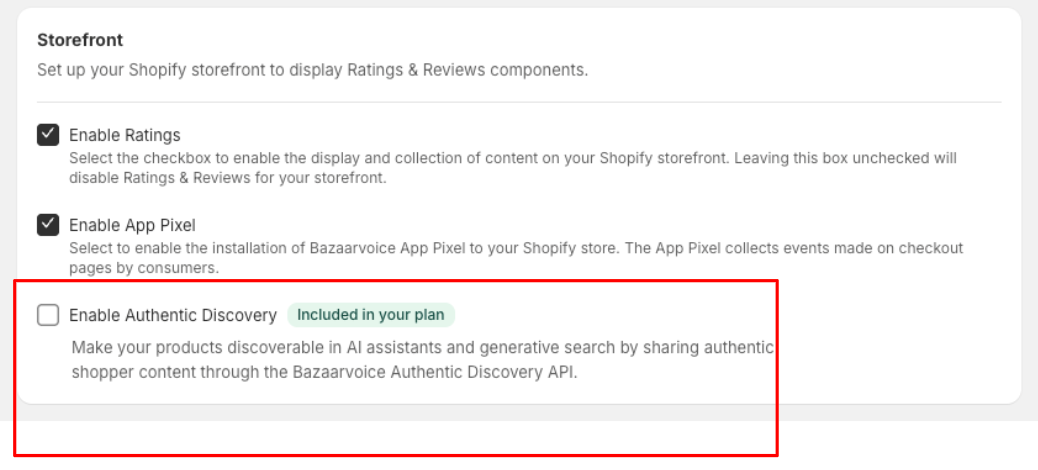
- Select Save.
- An Update data access prompt appears. Select Update to give the app permission to populate the Shopify product metafields with the JSON-LD content.
Enable the app embed block
The Authentic Discovery feature requires your Shopify theme pages to correctly display the JSON-LD content in their page source code. To complete this step, enable the Bazaarvoice Snippet app embed block on your active Shopify theme.
The following error appears if the app embed block has not been enabled.
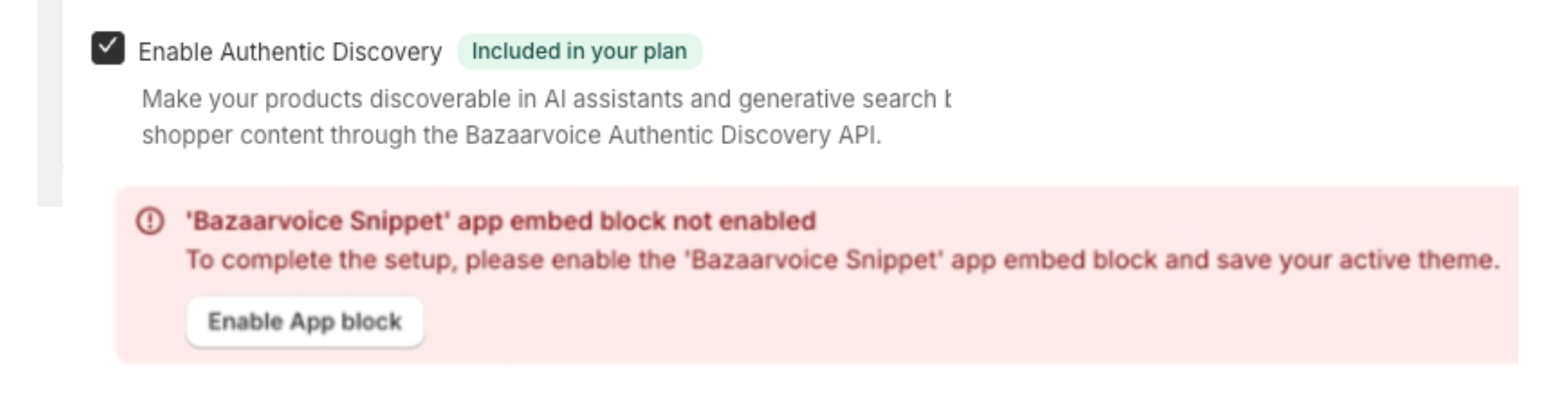
If you have already enabled the app embed block, skip to the Validate your implementation section.
To enable the app embed block:
- Select Enable App block or go to Online Store > Themes.
- Find the theme you want to edit and select Customize.
- Select App embeds from the menu on the left side of the page.
- Find Bazaarvoice Snippet and turn on the toggle.
- Select Save.
- Publish the changes to your theme.
Next step: Validate your implementation
Depending on the amount of existing UGC, the metafields may take up to 36 hours to fully populate. After the metafields populate, a Bazaarvoice representative can help with a final QA validation check of your Authentic Discovery implementation.