As required by the General Data Protection Regulation (GDPR), Bazaarvoice cannot create first-party cookies without explicit consent by the user. Your website must capture user consent and programmatically pass it to Bazaarvoice.
CNIL, or Commission Nationale de l’informatique et des libertés (National Commission on Informatics and Liberty), supervises and enforces data privacy legislation. CNIL also issues rules and regulations for compliance. To become CNIL compliant, you are required to control the cookies set by Bazaarvoice. We have implemented a new javascript function and exposed it under the Bazaarvoice namespace to offer more granular control over the cookie consent settings. You can integrate and use this mechanism with your cookie consent banner to set or unset the consent.

bv.js has been implemented.
Bazaarvoice first-party cookies
First-party cookies are set by the domain shown in the browser's address bar; users will see these listed as "*.clientdomain.com" or ".clientdomain.com". Bazaarvoice may set and read data from these cookies.
Enable and manage cookie consent
To deliver a seamless e-commerce experience, Bazaarvoice requires that bv.js load unconditionally on your webpage. Blocking bv.js in your Consent Management Platform (CMP), such as OneTrust, prevents Ratings & Reviews from displaying completely for users who have not yet interacted with your cookie banner.
To comply with data privacy regulations such as GDPR and CCPA, you must control when tracking cookies are set in your user's browsers. Bazaarvoice provides a built-in JavaScript method via bv.js to handle this natively. This approach satisfies GDPR and CCPA requirements as long as tracking and analytics cookies are deferred until consent is given.
The sections below explain how to enable and manage consent for Bazaarvoice first-party cookies:
- Enable the cookie opt-in setting
-
Allow
bv.jsin your content management system -
Pass consent to
bv.jsvia JavaScript - Manage cookie consent
Step 1: Enable the cookie opt-in setting
For each of your Bazaarvoice instances, follow these steps to enable the cookie opt-in requirement:
-
Sign in to the Bazaarvoice Portal.
-
From the upper-right corner, select the settings icon
 .
. - Select the required client instance name from the Instance Selector drop-down list in the upper-right corner.
- Go to the Configuration section and select Ratings & Reviews.
- Under Implementations, select Edit next to the implementation you want to configure.
-
Select Display Options from the menu.

- Under Cookie Opt In in the Display area, select Enabled. Enabling this setting automatically suppresses all tracking cookies (
BVBRANDIDandBVBRANDSID)
Note: You cannot enable the Cookie Opt-In option until Bazaarvoice enables first-party cookies for your domains. If the Cookie Opt-In option is disabled, you cannot set or unset the consent. - From the upper-left corner, select the Home button to go the Site Manager page.

- Select Deploy next to the required implementation.
- Select a deployment zone from the dropdown. Changes apply only to the selected deployment zone. Settings saved for an implementation that is not deployed to production do not apply to your site.
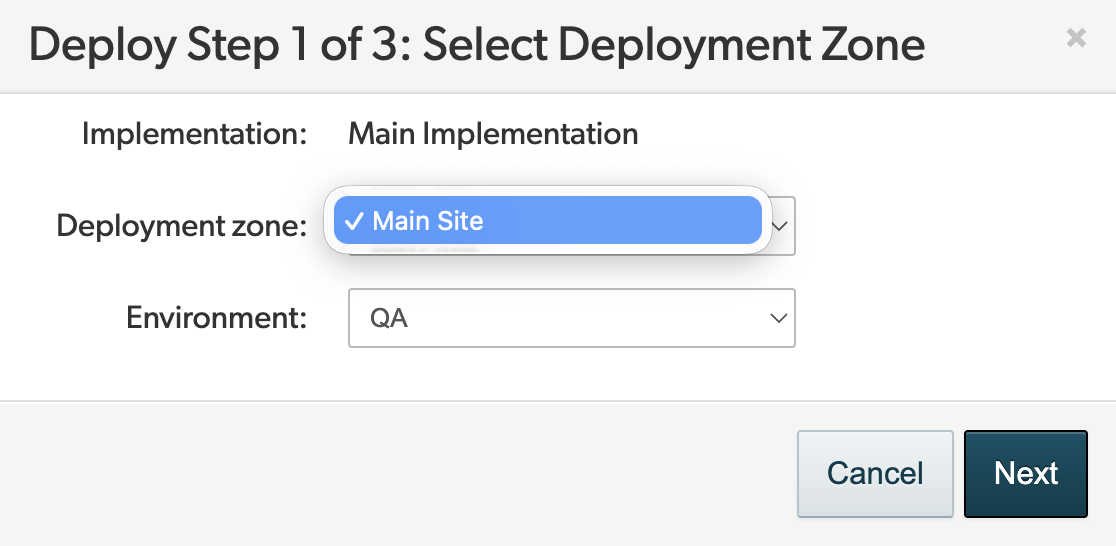
- Select Next to preview the changes.
- Select Confirm changes.
- Select Start deployment.
Step 2: Allow bv.js in your content management system
- Go to your Consent Management Platform (CMP), such as OneTrust.
-
Ensure that the Bazaarvoice
bv.jsscript is categorized as strictly necessary or is otherwise allowed to load natively on the page before consent is given. -
Bazaarvoice’s native consent functionality relies on the
bv.jsfile being present to capture the opt-in signal.
Step 3: Pass consent to bv.js via JavaScript
-
Once Cookie Opt-In is enabled and
bv.jsis set to load unconditionally on user's webpage, Bazaarvoice displays reviews immediately while holding back analytics tracking cookies until consent is received. -
To pass consent, invoke the setConsent function on every page containing
bv.js, dynamically passingtrueorfalsebased on the user’s current CMP status. -
Setting consent (User Opted In): When your CMP registers an opt-in event, run the following JavaScript to allow tracking cookies:
JavaScript// Ensure window.BV exists before calling if (window.BV && window.BV.cookieConsent) { window.BV.cookieConsent.setConsent({ bv_metrics: true, BVBRANDID: true, BVBRANDSID: true }); }
Step 4: Manage cookie consent
You can manage the consent in the following two ways:
Using setConsent function cookie consent
To set or unset consent for first-party cookies, use the setConsent function exposed from the global Bazaarvoice endpoint.
You can create or remove the cookies controlled by cookie consent by calling the setConsent function accessed from window.BV.cookieConsent.setConsent. The function accepts an object with cookie names as the keys and true or false (depending on the consent) as the cookie values.
Set consent for individual cookies
You can set the consent for individual cookies separately. For example, to create the cookie bv_metrics, use the following code:
JavaScript |
window.BV.cookieConsent.setConsent({ bv_metrics: true }) |
To remove the cookie bv_metrics, use the following code:
JavaScript |
window.BV.cookieConsent.setConsent({ bv_metrics: false }) |
Set consent for multiple cookies
You can also set the consent for multiple cookies. For example, to create the cookies bv_metrics, BVBRANDID, and BVBRANDSID, use the following code:
JavaScript |
window.BV.cookieConsent.setConsent({ bv_metrics: true, BVBRANDID: true, BVBRANDSID: true }) |
To remove the cookies bv_metrics, BVBRANDID, and BVBRANDSID, use the following code:
JavaScript |
window.BV.cookieConsent.setConsent({ bv_metrics: false, BVBRANDID: false, BVBRANDSID: false }) |
Using meta tags
setConsent function as we will deprecate the use of
tag function to enable consent.
Enable tracking cookie consent
To grant consent for Bazaarvoice to place tracking cookies, add this code in the same location as your consent integration:
JavaScript |
// Create the bv:cookies meta element const bvCookieConsent = document.createElement('meta') bvCookieConsent.name = 'bv:cookies' bvCookieConsent.content = 'true' // Append it to the head of the page document.head.appendChild(bvCookieConsent) |
When implemented, this element appears in your website metadata:
HTML |
<!DOCTYPE html> <html> <head> <meta name="bv:cookies" content="true"> </head> </html> |
Revoke tracking cookie consent
To prevent Bazaarvoice from setting tracking cookies, add this code in the same location as your consent integration:
JavaScript |
// Find and remove the bv:cookies meta element const bvCookieConsent = document.querySelector('meta[name="bv:cookies"]') bvCookieConsent.content = 'false' |
Bazaarvoice cookies
Required cookies
Bazaarvoice requires the following cookies to provide its services. They should be considered as strictly necessary.
|
Name |
Use |
|---|---|
|
bv_segment |
Used for A/B testing and for comparing feature variations within the same implementation. This enables clients to analyze user behavior and assess how a particular feature contributes to generating more user-generated content (UGC). |
|
BVImpl<site> |
Used for A/B testing across different client implementations. This enables clients to analyze user behavior and assess how a particular feature contributes to generating more UGC.
|
|
bvf_<id> |
Identifies items for which a user has submitted feedback, such as a helpfulness vote. <id> is the ID for the UGC that the user left feedback about. Maintains the accuracy of user behaviour and creates a record of the action until it is confirmed as logged. This helps avoid double counting. Enables site authentication to work when UGC is submitted. |
|
_gd<time stamp> |
Used to find out the most common domain. Its value is empty and remains unread. |
|
bv_authorSubmissionToken |
Used to allow one review submission per user in the submission forms. |
|
NoCookie |
Tracking, read-only cookie that is only actioned if it has already been implemented on the user device.
|
|
coppa_ |
Tracking, read-only cookie that is only actioned if it has already been implemented on the user device.
|
Optional cookies
If you’ve disabled consent for Bazaarvoice first-party cookies, the below optional cookies are set automatically.
If you’ve enabled consent for Bazaarvoice first-party cookies, the required cookies in the above table are still set. Optional cookies are blocked until the user consents to the below cookies being set.
| Name |
Function
|
Use |
|---|---|---|
|
bv_metrics
|
Performance
|
Gathers performance diagnostic events for a small sample of users (less than 1 in 1000).
|
|
BVBRANDID
|
Analytical
|
Allows internal Bazaarvoice web analytics to be correlated to the same user for interactions within a particular domain. |
|
BVBRANDSID |
Analytical
|
Allows internal Bazaarvoice web analytics to be correlated to the same user browsing session for interactions within a particular domain. |
Effect on existing clients using opt-in consent
The cookie consent mechanism is backward compatible with the existing opt-in mechanism. If you use meta tags to send consumer consent to Bazaarvoice, you do not need to make modifications.
Verify consent
You can verify that Bazaarvoice is correctly interpreting whether cookie consent has or has not been granted. While your website page is running, evaluate the following:
JavaScript |
BV.cookieConsent.getConsent('BVBRANDID') BV.cookieConsent.getConsent('BVBRANDSID') |
and inspect the results. It should return a Boolean:
JavaScript |
|
where:
| Consent | Boolean that indicates if Bazaarvoice has consent to use tracking cookies. |
| Source |
|
Cookie consent FAQs
How do Bazaarvoice systems treat non-consent scenarios?
If a user does not provide cookie consent (does not opt in), and the setting to opt in is enabled, then BV Pixel does not set first-party cookies.
What about the use of localStorage or similar data-storage mechanisms?
These are treated in the same way as cookies and require consent.
