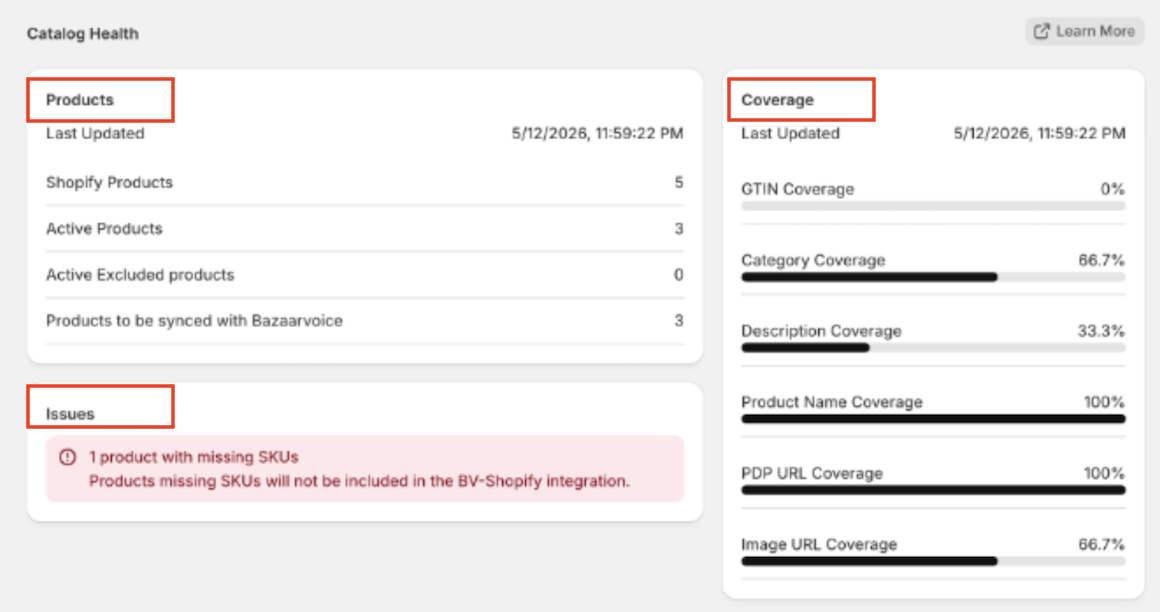
The Catalog Health dashboard to monitor product counts and attribute coverage. The Products panel shows counts such as active products and products synced with Bazaarvoice. The Coverage panel shows the percentage of products with each required attribute populated (for example, GTIN or PDP URL). Any errors or missing data appear under Issues.
View catalog health
To view your catalog health, complete the following steps:
- Go to the Bazaarvoice Reviews & Photos app.
- Go to Bazaarvoice Ratings & Reviews and select Configure.
- Go to the Product Catalog section.
- Select View Catalog Health.
- (Optional) Select Download CSV to export a list of product issues.