Note: It is very important to follow the instructions in this step carefully. If SAML values are not copied correctly, new users will not be created automatically.
-
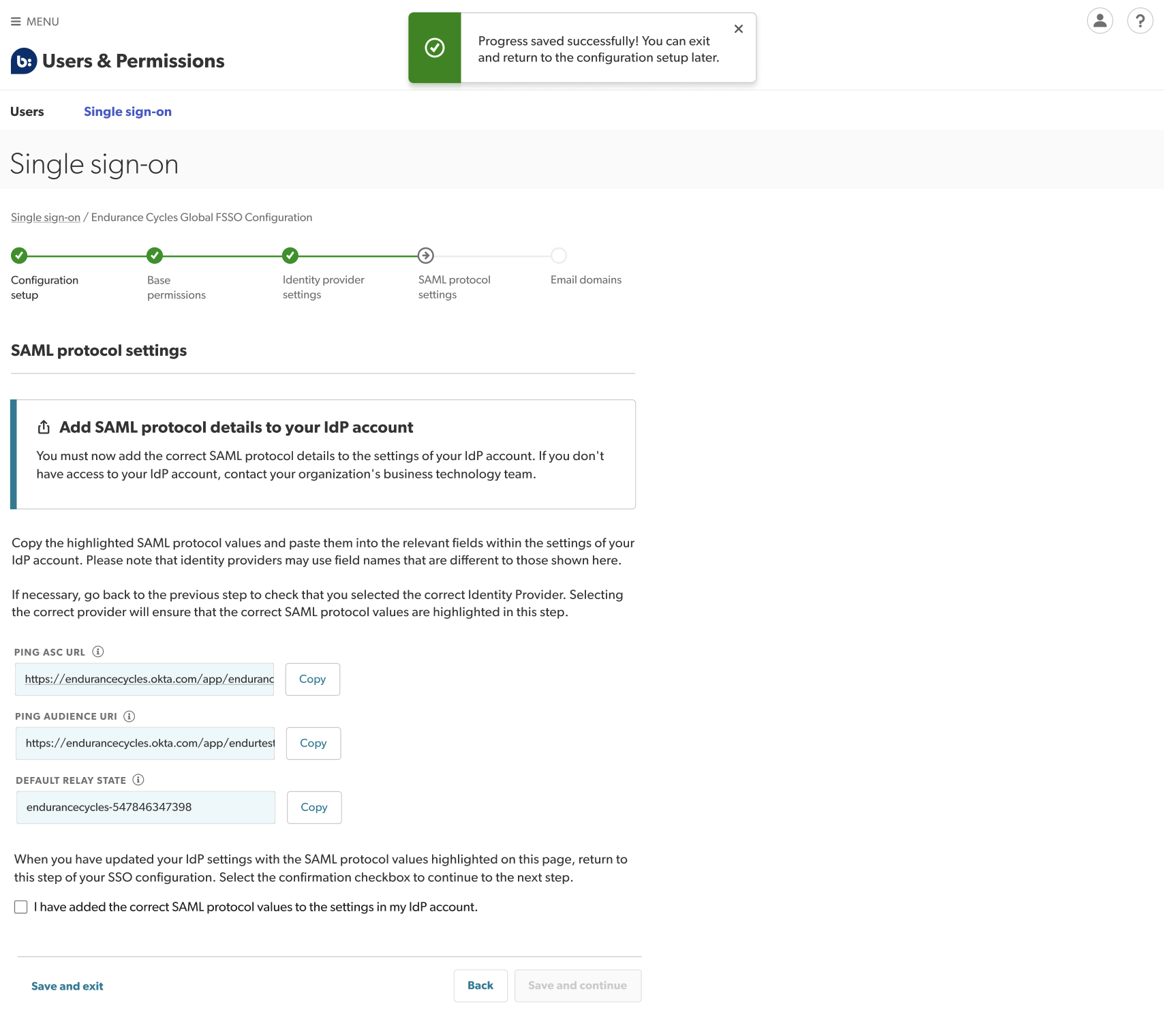
Copy your SAML protocol settings by selecting Copy to the right of each set of protocol values.
-
Paste them into the configuration section of your corporate IdP.
 Tip: For further support from your identity provider, refer to their help documentation.
 -
Replace the sample Assertion Consumer Service (ACS) and URI values you entered earlier with these SAML protocol values:
- ACS (Assertion Consumer Service) URI
- Audience URL
- Default Relay State
-
Confirm you have completed this step by selecting the checkbox that reads I have added the above information to my IdP’s configuration section.
-
Select Save and continue.