Vous pouvez configurer ces styles à l’aide de l’Éditeur de style du portail Bazaarvoice :
Comment ouvrir l’Éditeur de style
- Connectez-vous au portail de Bazaarvoice.
- Dans le coin supérieur droit, sélectionnez l'icône des paramètres.
- Sous Configuration, sélectionnez Ratings & Reviews.
- Sous Implémentations, sélectionnez Edit (Modifier) à côté de l'implémentation que vous souhaitez configurer.
- Sélectionnez Style Editor (Éditeur de style) dans la section User Experience (Expérience utilisateur) à gauche.
Où ces éléments apparaissent sur la page
Sélectionnez l’image pour l’ouvrir en taille réelle dans un nouvel onglet.
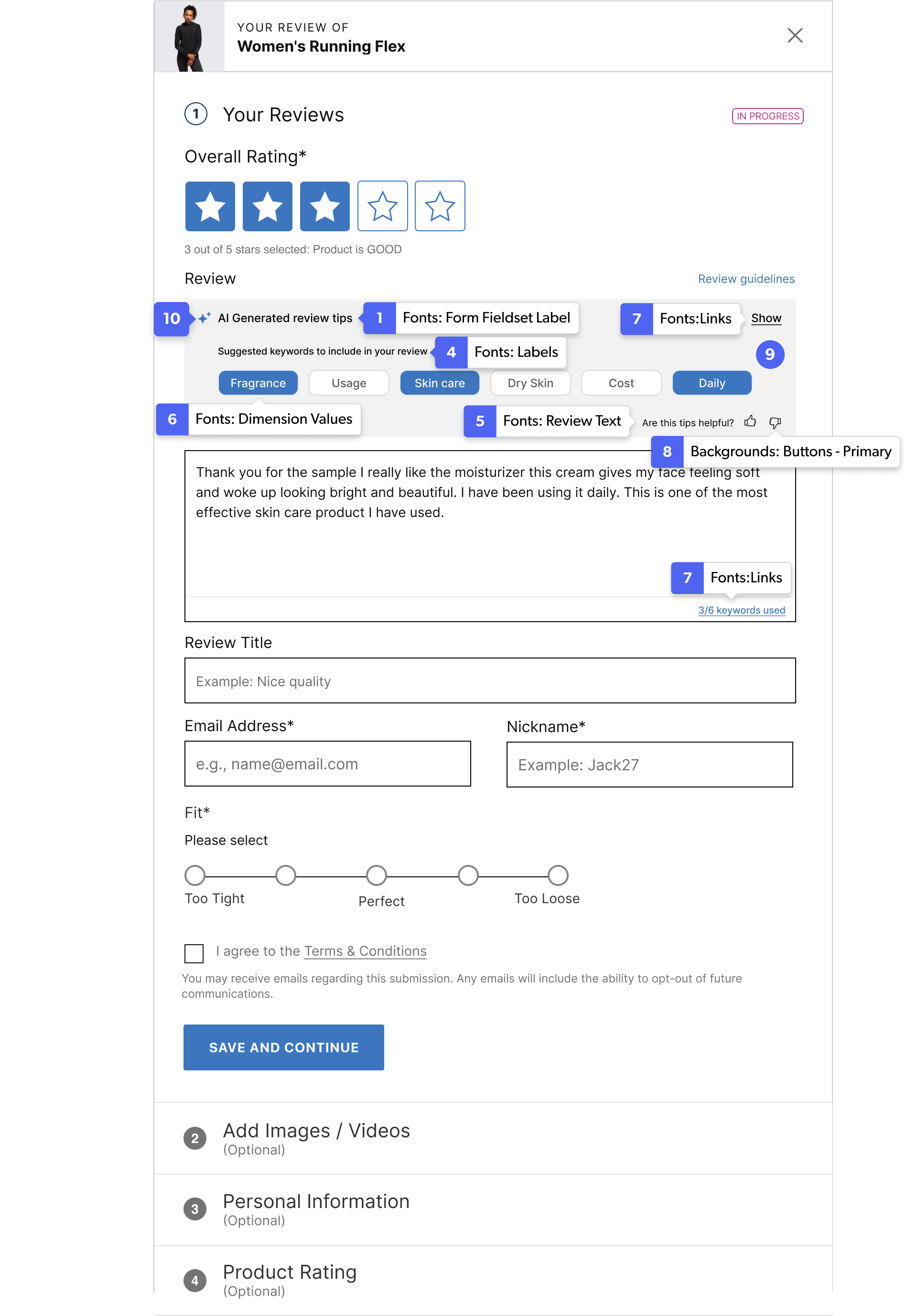
Fonts
Select Fonts to update the following styles. Example: Fonts > Form Fieldset Label.
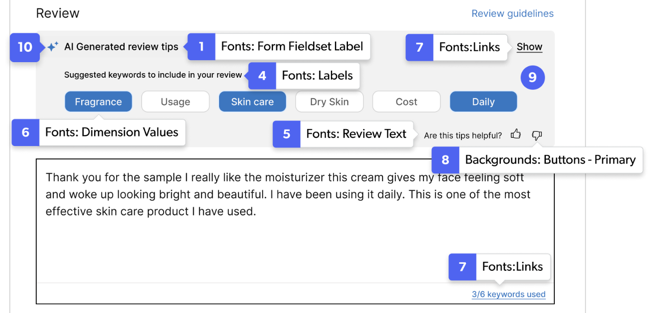
1. Form Fieldset Label
2. Section Header
If Section Header is set to transparent, then background color will be set as #F2F2F2.
3. Section Header Controls
4. Labels
5. Review Text
6. Dimension Values
7. Links
Backgrounds
Select Backgrounds to update the following styles. Example: Backgrounds > Buttons - Primary.
8. Buttons - Primary
9. Section Header Controls
Icons
Select Icons to update the following styles. Example: Icons > Review Stars.
10. Review Stars (full)
Any changes outside of the list above cannot be done.