Vous pouvez configurer ces styles à l’aide de l’Éditeur de style du portail Bazaarvoice :
Comment ouvrir l’Éditeur de style
- Connectez-vous au portail de Bazaarvoice.
- Dans le coin supérieur droit, sélectionnez l'icône des paramètres.
- Sous Configuration, sélectionnez Ratings & Reviews.
- Sous Implémentations, sélectionnez Edit (Modifier) à côté de l'implémentation que vous souhaitez configurer.
- Sélectionnez Style Editor (Éditeur de style) dans la section User Experience (Expérience utilisateur) à gauche.
Où ces éléments apparaissent sur la page
Sélectionnez l’image pour l’ouvrir en taille réelle dans un nouvel onglet.
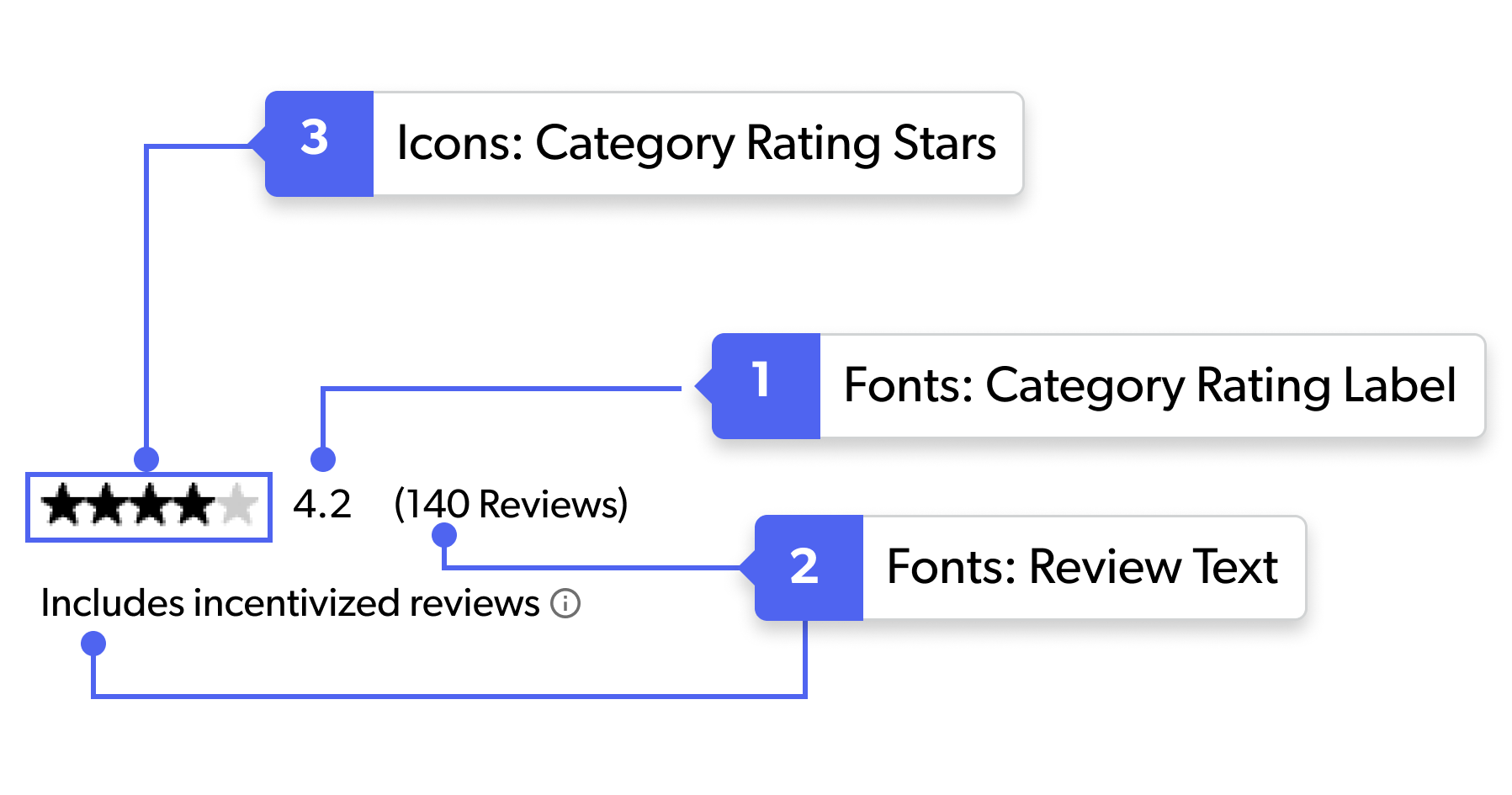
Fonts
Select Fonts to update the font styles. Example: Fonts > Category Rating Label.
1. Category Rating Label
Category Rating Label setting governs the Label Color, Label Font, and Label Size, ensuring consistent typography across the interface.
2. Review Text
Review Text properties are driven by the global review text font settings. Specifically, the Review Text Color inherits from the font color, while the Review Text font family and size are mapped directly from the review text font family and size definitions.
Icons
Select Icons to update the icon styles. Example: Icons > Category Rating Stars.
3. Category Rating Stars
Star Icon properties are driven by the global category rating star settings. Specifically, the Star Color inherits from the sub-style color definitions for both full and empty states, while the Star Size is mapped directly from the category rating stars size configuration.