Display (V2) Review Margins And Padding
You can configure these styles using Style Editor in the Bazaarvoice Portal:
-
Sign in to the Bazaarvoice Portal.
-
From the upper-right corner, select the settings icon.
-
Under Configuration, select Ratings & Reviews.
-
Under Implementations, select Edit next to the implementation you want to configure.
-
Select Style Editor in the User Experience section on the left.
Margins and Padding
To style the background settings for margin and padding:
- Expand the Margin & Padding section of the style editor to customize how margins and paddings are displayed for rating summaries and content elements.
- Select the element you want to customize from the drop-down list.
- Enable Uniform margins or Uniform padding to automatically apply the latest value you enter into a margin or padding field to the remaining fields.
- Specify the top, bottom, left, and right margin and padding values (in pixels) within the appropriate field.
1. Content Item
2. Content Header
3. Content Summary
|
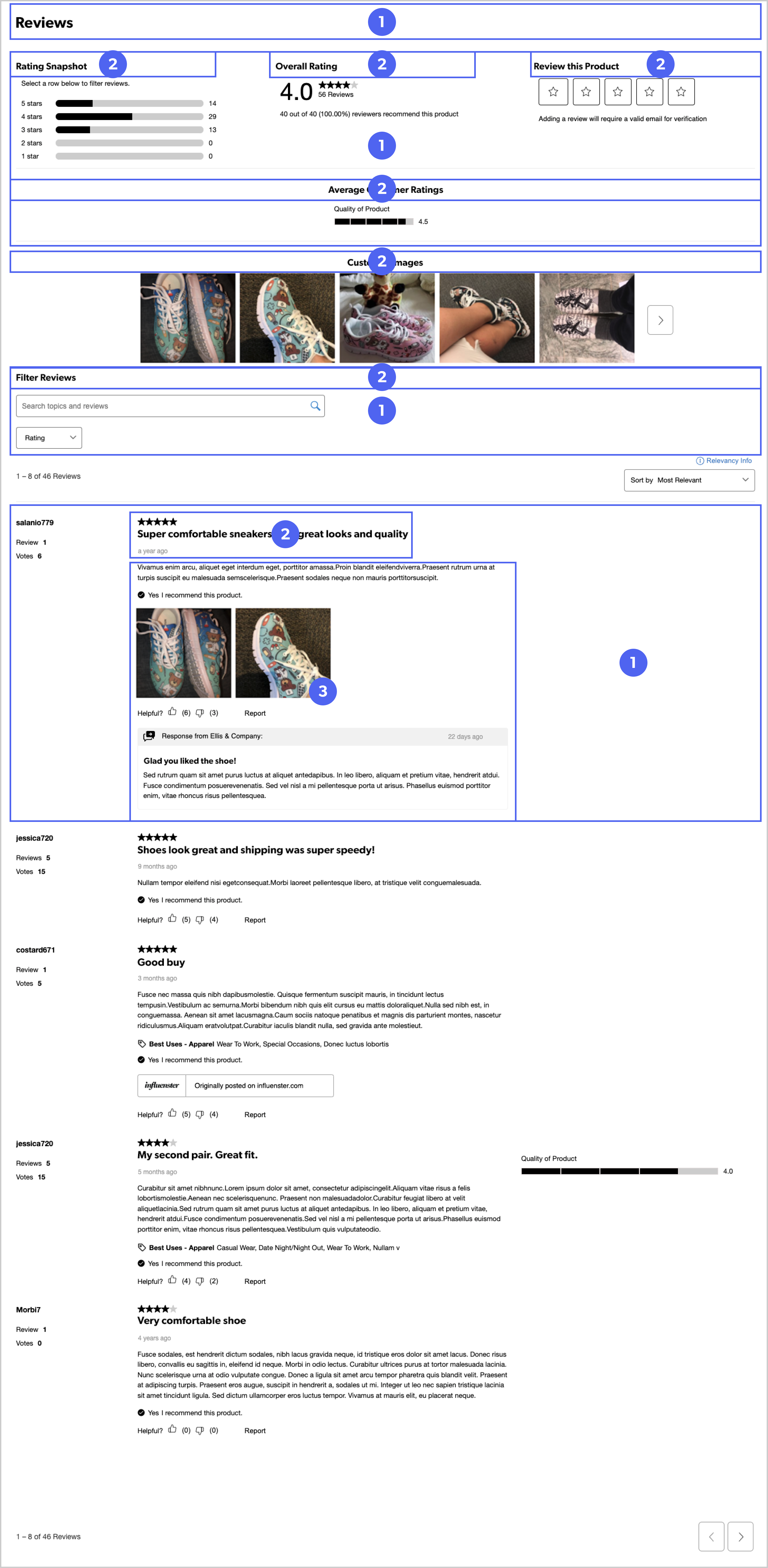
Reviews display example
|
