Set up an alert to notify your team immediately when specific keywords or phrases are detected within a review, question, or answer.
Why use keyword filters?
Keyword filters help you to monitor and respond to:
- Critical safety Issues: Identify urgent feedback ("smoke," "fire," or "burning smell").
- High-priority terms: Track references to competitors ("Better price at [Competitor]").
- Customer sentiment: Monitor pain points like "leaks" or "broke immediately."
Create a keyword alert
Recipients will receive an email notification whenever new content matches your specified keyword criteria.
Steps to create an alert:
- Sign in to the Bazaarvoice Portal.
- From the navigation bar, select Ratings & Reviews.
- From the List view, select the ellipses icon (...) in the upper-right corner.
- Select Create alert.
-
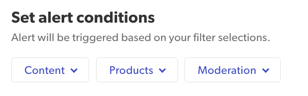
Select the Content filter.
-
Select Text Fields to define your trigger conditions.
-
Text field filters: Select up to ten different content areas to scan. For example:
- Review text: Focus on the main body of the content to detect specific mentions.
- Review title: Target high-level sentiments or key themes that reviewers highlight at a glance.
- Pros/Cons: Isolate keywords specifically associated with product strengths or weaknesses.
-
Keywords: Enter up to five words or phrases per text field area. For example, “broken”, “burning smell”,” terrible battery life”. Select Add to save each entry.
-
Text field filters: Select up to ten different content areas to scan. For example:
-
Add Alert details:
-
Alert name: Enter a descriptive name. For example, “Safety & Liability Concerns”.
-
Recipients: Enter the email addresses for all users you want to notify.
-
Alert name: Enter a descriptive name. For example, “Safety & Liability Concerns”.
-
Select Apply and close.
 .
.

How keyword alerts work
Keyword alerts follow specific matching rules to ensure you receive the most relevant alert notifications.
| Item | Description | Examples |
|---|---|---|
| Whole word matching | The system matches exact words separated by spaces or punctuation; it does not trigger for "partial strings" inside other words. | “hoover” matches "My new hoover" but not "dysonhoover." “fire” matches "A small fire" but not "fireworks." |
| 3-character minimum | Keywords and phrases must be at least 3 characters long. The Add button remains inactive until this limit is met. | "Ox" (Invalid) "Bat" (Valid) |
| Stop words | Common words are not permitted as standalone keywords to prevent irrelevant alerts. | "the", "a", "or", "for" |
Keyword alert capacity: This system allows for a maximum of 50 unique keywords/phrases per alert (10 text fields × 5 keywords).
Reduce alert noise (common words)
To prevent irrelevant notifications, common "words" (such as "the," "with," "and") cannot be used as standalone keywords. Filtering out these high-frequency terms reduces notification fatigue. It also ensures your alerts remain focused on meaningful, actionable feedback.
|
Language
|
Example stop words
|
|---|---|
|
English
|
the, be, to, of, and, a, in, that, have, it, for, not, on, with, he, as, you, do...
|
|
French
|
de, le, la, et, les, des, en, un, une, du, à, que, est, pour, qui, dans, il...
|
|
German
|
er, die, und, in, den, von, zu, das, mit, sich, auf, für, ist, im, dem, ein...
|
