After you’ve created a Social Creators campaign, you can see overall performance data for your completed campaigns, compare them, and view results for individual campaigns in Bazaarvoice Vibe.

View metrics for campaigns
View information about the campaigns you've created.
View overall campaign metrics
On the Campaigns page, select the Social Creators tab. Use the cards at the top of the page to view data relating to all of your campaigns.
View individual campaign metrics
On the Campaigns page, make sure you’re on the Social Creators tab. Select a campaign to view data for that specific campaign.
You can view the following metrics for review content created for this campaign at the top of the page:
-
Social Content Collected: The total number of items of social content submitted in this campaign.
-
Estimated Impressions: The estimated total number of social media views of photos or videos submitted in this campaign.
-
Estimated Engagements: The estimated total number of engagements with content submitted in this campaign. This includes posts, likes, comments, and shares.
-
Earned Media Value (EMV): The estimated EMV for this campaign. We calculate this figure using the estimated impressions and estimated engagements figures.
View campaign content
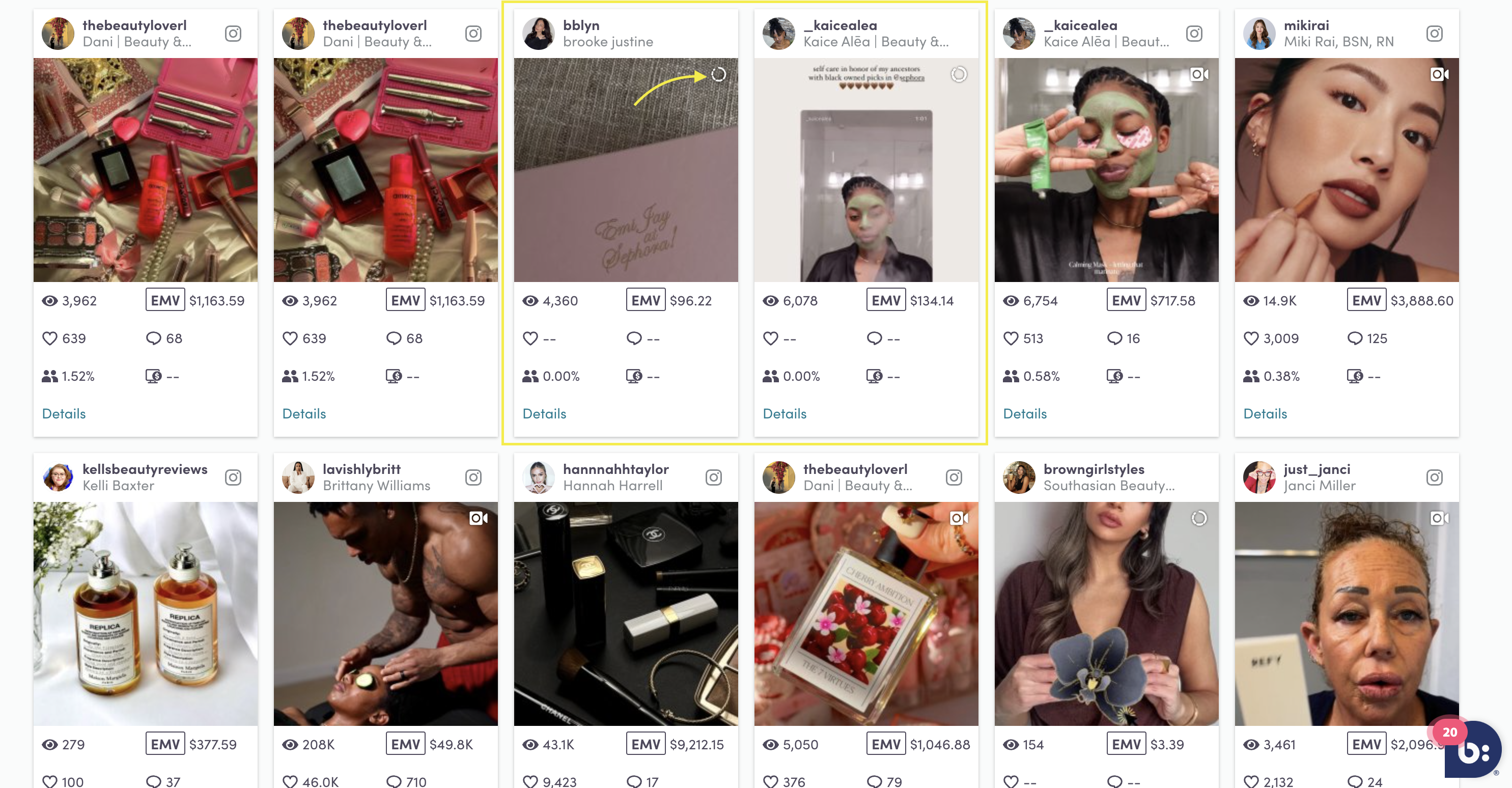
View social content
Follow these steps to view social content created for your campaign:
-
On the Campaigns page, make sure you’re on the Social Creators tab.
-
Select a campaign to view that specific campaign.
-
Select Content > Social Content.
You can view the following metrics for social content created for this campaign at the top of the page:
-
Social Content Collected: The total number of items of social content submitted in this campaign.
-
Estimated Impressions: The estimated total number of social media views of photos or videos submitted in this campaign.
-
Total Engagements: The estimated total number of engagements with social content submitted in this campaign. This includes posts, likes, comments, and shares.
-
Earned Media Value (EMV): The estimated EMV (earned media value) for social content submitted for this campaign. We calculate this figure using the estimated impressions and estimated engagements figures.
-
Social Completion Rate: The percentage of social tasks assigned for your campaign that participants have completed.
You can also view images of your content and the relevant metrics on this page. Use the drop-down menus to filter by date or metric.