The Questions & Answers (Q&A) solution is your central hub for answering consumer questions.
Articles in this knowledge base
| Article |
Description |
|---|---|
| Roles and permissions |
Learn how to assign the right roles to your team to ensure efficient workflow management. |
| List View vs. Detail View |
Understand the difference between the high-level list overview and deep-dive individual content view |
| Filter vs. Search |
Use the quick search or granular filters to find the specific questions and answers that matters to you. |
| Answer consumer questions |
Close the loop by publishing official brand answers. Leverage our AI-powered Answer Assistant to draft quick, accurate responses so consumers queries. |
| Moderate questions |
A guide on how to self-moderate (approve, reject) content to keep your questions and answers authentic. |
| Migrate questions | Guidance on how to transfer questions between products or locale. |
| Manage contributors & badges |
Create contributor profiles and assign Staff, Expert, or Top Contributor badges. |
| Manage alerts | Set up real-time notifications for critical keywords, safety concerns, or specific star ratings. |
| Export to CSV |
Generate snapshots of your questions and answers for offline analysis and internal reporting. |
Get started
To use Questions & Answers:
- Sign in to the Bazaarvoice Portal
 .
. - From the navigation bar, select Ratings & Reviews.
- From the side bar, select Questions.
- Use filters to sort the displayed list of questions.
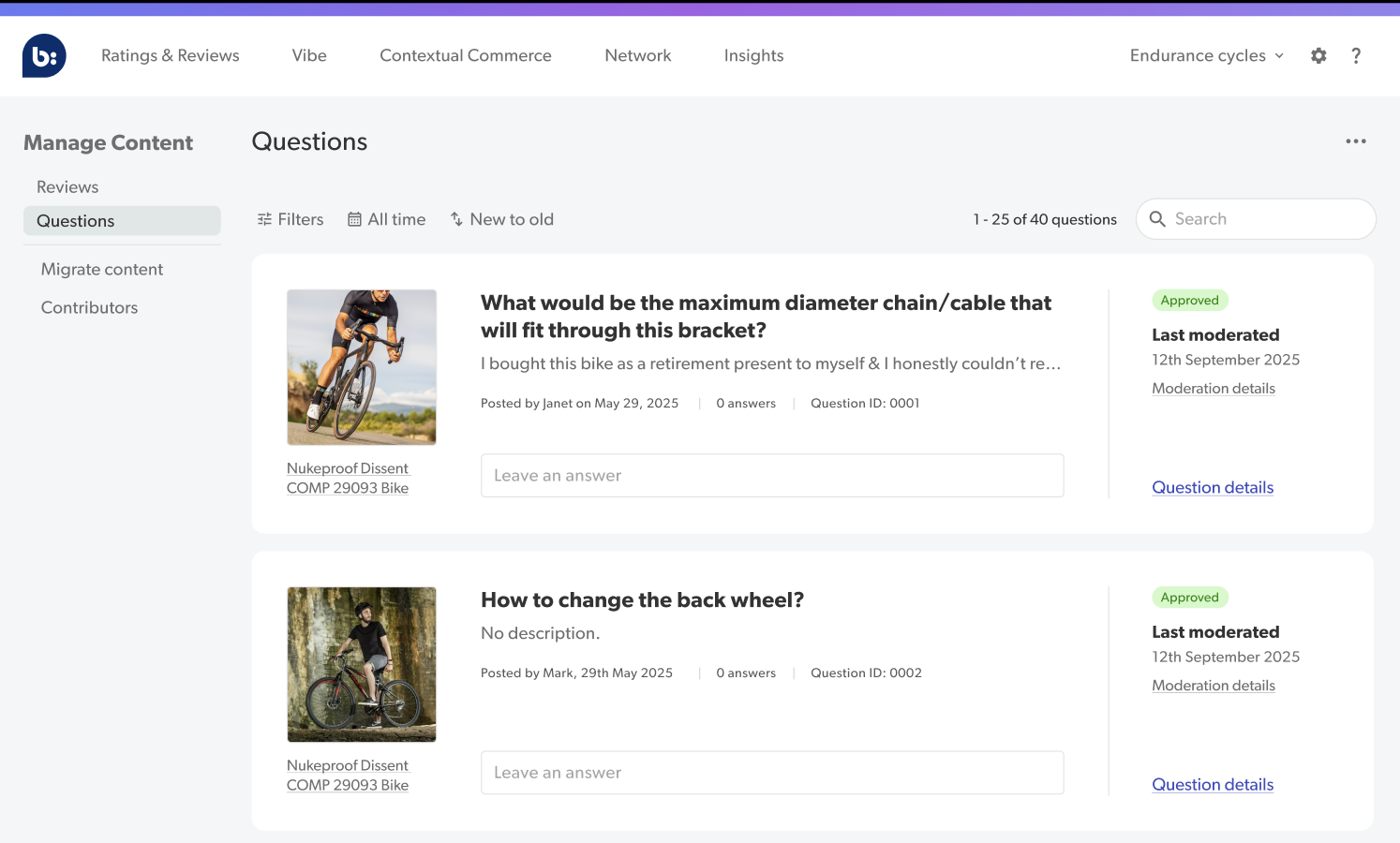

Note: Refer to Exploring Ratings & Reviews interface for tips on using the List View and Detail View.
